
Overview



|
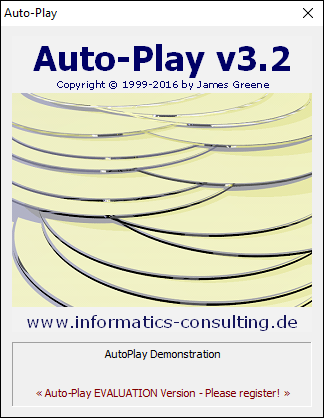
What is Auto-Play?Auto-Play is a simple way to add a professional Auto-Play feature to the CDs and DVDs that you create. The registered version of AUTO-PLAY supports a personalised 'splash screen' graphic and playing music (Wave or MIDI) while the desired application or document is being loaded. The Auto-Play Suite includes:
|
Download
Downloading the Auto-Play Suite
-
Download the auto-play/apinstall32.exe file from
http://www.informatics-consulting.ch/software/auto-play/apinstall32.exe
(Switzerland) or
http://www.informatics-consulting.de/software/auto-play/apinstall32.exe (Germany)
and store it into a temporary directory, e.g. C:\TEMP
- Double-click on the apinstall32.exe file to install CBText.
The apinstall32.exe program is a delivery shell for the auto-play32.msi installer. The following options are available with apinstall32.exe:
--extract (or) /X| Extracts the MSI file only (without starting the installation).
| --dir (or) /D [path] | Specifies where the MSI file should be stored.
| --keep (or) /K | Specifies that the MSI file is not deleted after installation.
| --quiet (or) /Q | Hides the progress window (in implies --keep).
| --version (or) /V | Displays the version information for both CBText and the installer.
| --help (or) /? | Displays these instructions.
| |
 If you like what you see and would like to unlock the full potential of Auto-Play,
please Register your copy! Thank you!
If you like what you see and would like to unlock the full potential of Auto-Play,
please Register your copy! Thank you!
Register
Why Register?
|
Both personal and professional licenses can be purchased on-line through the BMTMicro registration service:
|

Screen Shots
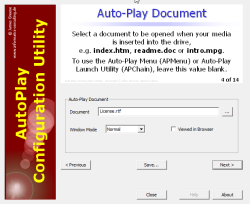
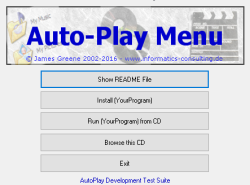
Documentation
v3.2.140 - 26. January 2016
Auto-Play Suite (all programs):
- Updated PNG Library: Updated the PNG support library to libpng 1.6.21 (January 15, 2016). (Copyright © 1998-2016 Glenn Randers-Pehrson, et. al.)
- Updated JPEG Library: Updated the JPEG support library to jpeg-9b (January 17, 2016). (Copyright © 2016 Thomas G. Lane, Guido Vollbeding)
- All applications have been compiled with the MinGW implementation of GCC version 4.8.1.
Auto-Play (v3.2.140):
- Minor correction in the registration code (fix a possible buffer overflow).
- Updated the default splash screen to show my German URL (informatics-consulting.de).
Auto-Play Configuration Utility (v3.2.092):
- Minor correction in the registration code (fix a possible buffer overflow).
- Updated the About links to point to my German URL (informatics-consulting.de).
Auto-Play Menu Utility (v4.3.094):
- Minor correction in the registration code (fix a possible buffer overflow).
- Updated the default graphics to show my German URL (informatics-consulting.de).
Auto-Play Chain Launching Utility (v1.2.036):
- Changed the welcome message to my German URL (informatics-consulting.de).
Links and Awards
Links
coming soon
Awards
coming soon